B2B Social Media Attribution: A Step-by-Step Measurement Framework
By Noman Rashid · · 11 min read
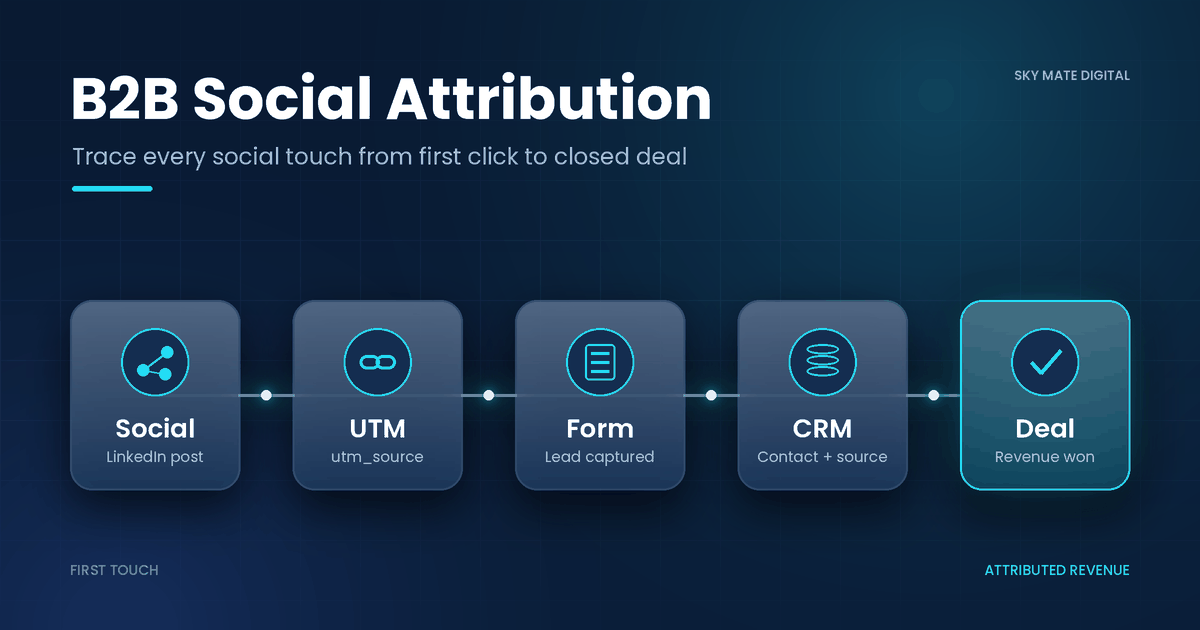
B2B social media attribution is the work of connecting what people see and do on social channels to the pipeline and revenue in your CRM. It sounds simple. In practice, a prospect reads three of your LinkedIn posts, hears your name on a podcast, gets a link forwarded in Slack, and six weeks later types your URL straight into a browser. Your analytics calls that "direct." Your sales team calls it "inbound." Nobody credits social.
This guide walks through a practical way to fix that: how to choose an attribution model, set up your CRM so social touches are actually recorded, tag dark social where you can, and report social media ROI in a way finance will accept. It is written for in-house marketers and operators who need a working system, not a theory lecture.
Why B2B Social Media Attribution Breaks Down
Before picking a model, it helps to be honest about why social is hard to measure in B2B specifically.
Buying groups, not buyers
You are rarely selling to one person. Gartner's May 2025 sales survey found that B2B buying groups range from 5 to 16 people across as many as four functions (Gartner, 2025). The same survey reported that 74% of buyer teams showed unhealthy conflict during the decision process. So the person who saw your LinkedIn carousel may not be the person who fills in the demo form. If your attribution only looks at the form-filler, social will look weaker than it is.
Many sources, long cycles
Buyers also pull information from a lot of places. A Gartner survey published in May 2026 found that buyers used an average of seven information sources in a recent purchase (Gartner, 2026). Social is usually one of them, but rarely the only one, and rarely the last click.
Dark social
"Dark social" is sharing you can't see: links pasted into DMs, Slack, WhatsApp, email threads, or a screenshot of a post shown in a meeting. When someone clicks a link with no referrer data, analytics tools typically log the visit as direct traffic. A meaningful share of your "direct" traffic is often social influence you are not getting credit for.
Cross-device and session gaps
People scroll LinkedIn on their phone and research on a work laptop. Web analytics tools, GA4 included, have real limits stitching sessions across devices and browsers, especially when users aren't signed in and when cookie consent is declined. Treat analytics source data as directional, and rely on your CRM as the system of record for pipeline.
B2B Attribution Models Compared
An attribution model is just a rule for splitting credit across touchpoints. None is "correct." Each answers a different question.
First touch vs last touch B2B
The first touch vs last touch B2B debate is where most teams start.
First touch gives 100% of credit to the first recorded interaction. It answers: what brings new people in? Social often looks good here.
Last touch gives 100% to the final interaction before conversion. It answers: what closes the loop? Social usually looks bad here, because the last step is often a branded search, direct visit, or sales email.
Both are easy to set up and both distort the picture in long cycles. Use them as reference points, not as your only lens.
Multi touch attribution B2B
Multi touch attribution B2B models spread credit across several touches. The common ones:
Linear: equal credit to every touch.
Time decay: more credit to touches closer to the conversion.
U-shaped: most credit to first touch and lead creation, the rest spread across the middle.
W-shaped: In HubSpot's version, 30% goes to the first interaction, 30% to contact creation, 30% to deal creation, and the remaining 10% is split across other interactions (HubSpot Knowledge Base, "Understand attribution reporting"). Other tools may weight W-shaped differently, so check your platform's documentation.
Attribution model comparison table
Model: First touch · How credit is split: 100% to first interaction · Best for: Measuring awareness and new-contact sources · Weakness for social: Ignores nurture and closing touches · Effort to set up: Low
Model: Last touch · How credit is split: 100% to final interaction before conversion · Best for: Short cycles, bottom-funnel optimisation · Weakness for social: Usually undercounts social badly · Effort to set up: Low
Model: Linear · How credit is split: Equal across all touches · Best for: Teams wanting a simple, fair baseline · Weakness for social: Treats a passive impression like a demo call · Effort to set up: Medium
Model: Time decay · How credit is split: More credit near conversion · Best for: Short-to-mid sales cycles · Weakness for social: Downweights early social discovery · Effort to set up: Medium
Model: U-shaped · How credit is split: Heavy on first touch and lead creation · Best for: Lead-gen focused teams · Weakness for social: Little credit for mid-funnel content · Effort to set up: Medium
Model: W-shaped · How credit is split: Weighted on first touch, contact creation, deal creation (HubSpot: 30/30/30/10) · Best for: B2B teams tracking to pipeline · Weakness for social: Needs clean CRM lifecycle data · Effort to set up: Medium–High
Model: Custom / data-driven · How credit is split: Weights set by your rules or an algorithm · Best for: Mature teams with volume · Weakness for social: Hard to explain; needs lots of data · Effort to set up: High
A practical pick: if your CRM has clean contact and deal records, report W-shaped as your main view, and show first touch alongside it. Showing two models side by side stops a single model from becoming an argument.
CRM Attribution Setup: Step by Step
Attribution reports are only as good as the data underneath. This CRM attribution setup works in HubSpot, Salesforce, or most mid-market CRMs, though field names vary.
Step 1: Agree a UTM naming sheet
Create one shared spreadsheet that defines allowed values for utm_source, utm_medium, utm_campaign, and utm_content. For example:
utm_source: linkedin, x, youtube, facebookutm_medium: organic-social, paid-social, employee-share, communityutm_campaign:2026q4-attribution-guide(date + topic, lowercase, hyphens)
If your current UTMs are a mess, don't try to rebuild everything at once. Pause new campaign launches or freeze new UTM creation for a few days until the naming sheet is agreed, then apply it to everything going forward. Old data can be cleaned up in batches later.
Step 2: Capture UTMs into the CRM
Make sure your forms pass UTM parameters into hidden fields, and that those values are written to the contact record. Store both:
Original source fields (first touch), which should never be overwritten.
Latest source fields (most recent touch), which update on each conversion.
Test this by submitting a form yourself with a tagged URL, then checking the contact record.
Step 3: Add a self-reported attribution field
Add a free-text or picklist question to key forms: "How did you hear about us?" This is the single most useful tool to track dark social LinkedIn activity. Answers like "saw your founder's posts" or "a colleague sent me your article" show up here and nowhere else. Code the answers weekly into categories (LinkedIn organic, podcast, referral, etc.).
Step 4: Tag dark social where you can
You can't track private sharing fully, but you can reduce the blind spot:
Use distinct tagged short links for links shared in posts, comments, and employee profiles.
Give each salesperson or employee advocate their own
utm_contentvalue.Use tagged links in newsletter and community posts that tend to get forwarded.
Track spikes in direct traffic and branded search after major social pushes, and note them in your reporting.
Step 5: Connect lifecycle stages
Define clear lifecycle stages (subscriber, lead, MQL, SQL, opportunity, customer) and make sure deals are associated with contacts. W-shaped and similar models depend on knowing when a contact was created and when a deal was opened.
Step 6: Associate buying group contacts with deals
Because buying groups are large, attach every known stakeholder to the deal, not just the main contact. This lets social touches by a CFO or end user count toward the opportunity.
Step 7: Import paid social conversions
Connect LinkedIn Campaign Manager and other ad platforms to your CRM where integrations exist, so ad clicks and lead-form submissions appear as touchpoints instead of living only inside the ad platform.
Social Media ROI Measurement: Formulas That Hold Up
Social media ROI measurement gets questioned in budget meetings because the numbers are often vanity metrics. Use pipeline and revenue figures from the CRM instead.
Core formulas
Social-attributed pipeline = sum of (deal value × attribution credit share for social touches)
Social-attributed revenue = same calculation, on closed-won deals only
Social ROI = (social-attributed revenue − social cost) ÷ social cost
Cost per social-sourced opportunity = social cost ÷ opportunities where social is first touch or self-reported source
"Social cost" should include ad spend, tools, and a fair share of people time or agency fees. Leaving out labour is the fastest way to get your numbers challenged.
ILLUSTRATIVE EXAMPLE (not client results)
The following numbers are made up to show the math. They are not results from any real company.
A team spends $6,000 per quarter on LinkedIn ads and $9,000 in staff time on organic content: $15,000 total.
Using a W-shaped model, a $40,000 closed-won deal had social as the first interaction (30%) and one middle touch (a share of the 10%, say 5%). Social gets 35% credit: $14,000.
Across the quarter, social-attributed revenue under this model comes to $48,000.
Social ROI = ($48,000 − $15,000) ÷ $15,000 = 2.2x, or 220%.
Under last touch, the same quarter might show only $8,000 of social revenue, an ROI of about −47%. Same activity, very different story. That's why you report more than one model.
ILLUSTRATIVE EXAMPLE: pipeline view
Again, hypothetical numbers for illustration only.
If 12 opportunities worth a combined $360,000 list social as first touch or self-reported source, and social cost was $15,000, the cost per social-sourced opportunity is $1,250 and the pipeline-to-spend ratio is 24:1. Pipeline is not revenue, so label it clearly.
B2B Marketing Reporting Template
A simple B2B marketing reporting template for social attribution should fit on one page. Suggested sections:
Section: Activity · What to show: Posts, impressions, engagement rate, ad spend · Source: LinkedIn / ad platforms
Section: Traffic · What to show: Sessions from social UTMs, direct + branded search trend · Source: Web analytics
Section: Contacts · What to show: New contacts with social original source · Source: CRM
Section: Self-reported · What to show: Count and top answers mentioning social · Source: CRM form field
Section: Pipeline · What to show: Social-attributed pipeline (W-shaped and first touch) · Source: CRM attribution report
Section: Revenue · What to show: Social-attributed closed-won revenue · Source: CRM
Section: ROI · What to show: Social ROI and cost per opportunity · Source: Calculated
Section: Notes · What to show: Data gaps, UTM issues, notable deals · Source: Team
Report monthly for activity and contacts, quarterly for pipeline and revenue. Quarterly is a more honest cadence for long cycles.
Common Mistakes to Avoid
Trusting one model. Any single model will flatter some channels and penalise others.
Letting reps overwrite original source. Lock first-touch fields.
Ignoring self-reported data because it's "not scientific." It's often the only signal for dark social.
Counting impressions as results. Leadership wants pipeline.
Comparing social to paid search on last touch. Social will lose that comparison almost every time, for structural reasons.
FAQ
What is B2B social media attribution?
It's the process of assigning credit for pipeline and revenue to social media touchpoints, using an attribution model and data from your CRM, analytics, and ad platforms.
Which attribution model is best for B2B social?
There's no single best model. Many B2B teams use a W-shaped or other multi-touch model as their main view and compare it against first touch. Pick the one that matches the question you're answering and keep it consistent.
How do you track dark social on LinkedIn?
You can't track it fully. Combine a self-reported "How did you hear about us?" form field, tagged links for employee and creator shares, and monitoring of direct and branded search traffic after social activity.
Is first touch or last touch better for B2B?
First touch is better for understanding what creates new demand; last touch for what converts it. In long B2B cycles, both miss the middle, which is why multi-touch models are usually more useful.
How long before attribution data is useful?
Expect at least one full sales cycle of clean data. If your average deal takes four months, give it four to six months after your CRM attribution setup is finished.
Can GA4 handle B2B attribution on its own?
It's useful for traffic and on-site behaviour, but cross-device and logged-out journeys limit how much it can connect to individual buyers and deals. Most B2B teams use the CRM as the source of truth for pipeline attribution.
Strategic Recommendations
Start with data hygiene. Agree a UTM naming sheet and hold off on new campaign tagging until it's in place.
Capture both original and latest source on every contact and lock the original.
Add the self-reported field to demo and contact forms this week. It's the cheapest attribution improvement there is.
Report two models side by side, such as W-shaped and first touch, so no single number dominates the conversation.
Associate the full buying group to deals so social influence on non-form-filling stakeholders is counted.
Include labour in social cost, and label pipeline separately from revenue.
Review quarterly, not weekly. B2B social works on a longer cycle than most dashboards assume.
Attribution will never be perfect, and it doesn't need to be. The aim is a system that is consistent, explainable, and good enough to make better budget decisions than you're making today.